
Running a growing clinic or multi-specialty hospital is not only about seeing more patients. As the practice grows, more departments, more staff, more patient records, and more operational steps are added to the daily workflow.
That is where traditional, rigid EMR systems can become difficult to manage.
A physiotherapy clinic may need protocol tracking and session billing. An orthopedic practice may need specialty-focused case sheets. A multi-specialty hospital may need OPD, IPD, pharmacy, radiology, nutrition, physiotherapy, and billing to work together.
The challenge is that every healthcare organization has a different way of working.
This is why customizable EMR workflows matter.
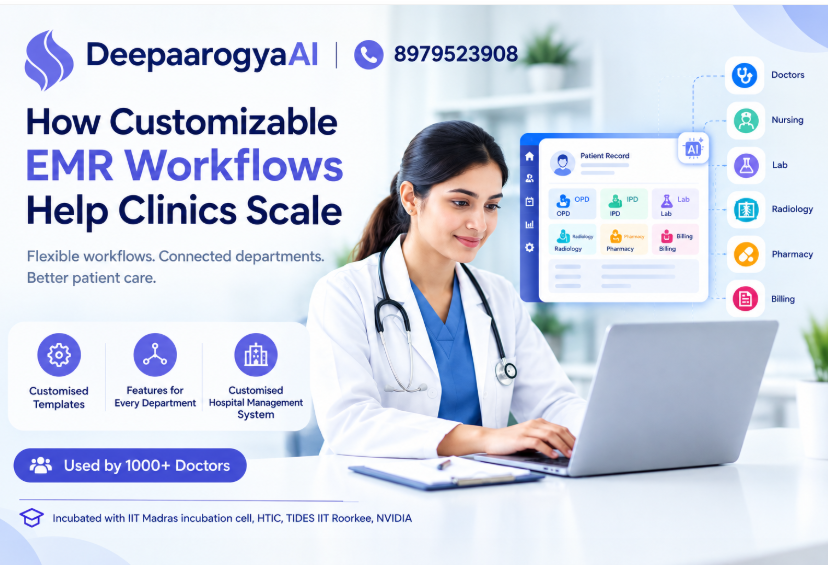
Instead of forcing doctors and staff to completely change their existing processes, a customizable healthcare platform can be configured around the clinic’s actual workflow. DeepaarogyaAI is designed around this approach, allowing OPD, IPD, physiotherapy, nutrition, billing and other workflows to be configured according to practice requirements.
What Is a Customizable EMR Workflow?
A customizable EMR workflow allows a healthcare organization to configure how information is captured, viewed, processed, and shared across its departments.
A rigid EMR might provide a fixed structure:
Patient Registration → Consultation → Prescription → Billing
But a real clinic may have a much more detailed journey:
Patient Registration → Vitals → Consultation → Lab → Radiology → Physiotherapy → Nutrition → Pharmacy → Billing → Follow-up
The workflow can also differ by specialty.
For example:
- An orthopedic clinic may need diagnosis, imaging, treatment, physiotherapy and follow-up information.
- A physiotherapy clinic may require protocol tracking, outcomes, team assignment and session billing.
- A nutrition desk may need patient vitals, diagnosis and nutrition planning.
- A hospital may require OPD, IPD, pharmacy, nursing and discharge workflows.
A customizable EMR makes it possible to organize these processes around the way the healthcare team actually operates.
Why Rigid EMR Systems Can Become a Problem
As a clinic grows, its workflow becomes more complex.
A system that worked for a small practice may become inconvenient when additional departments and team members are introduced.
1. Staff have to adapt to the software
When the software is rigid, the clinic often has to modify its process to match the system.
This can create unnecessary steps.
Instead of asking:
“How does our clinic work?”
the team starts asking:
“How does the software want us to work?”
A customizable platform reverses this approach by allowing the workflow to be configured around the practice.
2. Different departments need different information
A doctor does not necessarily need the same screen or information as a physiotherapist, dietitian, pharmacist, receptionist, or billing team.
When every department works with the same generic structure, important information can become difficult to access.
DeepaarogyaAI allows departments and specialty panels to be configured according to the clinic’s workflow.
3. Duplicate data entry creates unnecessary work
When departments operate through disconnected systems, staff may need to enter the same information multiple times.
This can happen with:
- Patient demographics
- Vitals
- Diagnosis
- Treatment details
- Prescriptions
- Reports
- Billing information
A connected patient record reduces the need for repeated entry by allowing departments to work from the same chart.
How DeepaarogyaAI Supports Customizable Healthcare Workflows
DeepaarogyaAI is designed as an AI Hospital OS for clinics and multi-specialty hospitals, bringing EMR, OPD, IPD, pharmacy, billing and clinical AI capabilities onto one patient record.
The goal is not simply to digitize paperwork.
The platform is designed to connect the different stages of the patient journey.
1. Customize the Case Sheet Around Your Practice
Every specialty captures different clinical information.
DeepaarogyaAI’s customizable case sheet allows sections, ordering and specialty panels to be shaped according to the clinic’s workflow.
For example, a clinic can organize information such as:
- Diagnosis
- Vitals
- Clinical examination
- Investigation
- Treatment
- Medication
- Physiotherapy
- Follow-up
- Body composition
This allows the clinical team to access relevant information without navigating an unnecessarily generic workflow.
One chart, multiple departments
The important part is that these sections remain connected.
Vitals can be available to the nutrition workflow, physiotherapy notes can remain synchronized, and lab and radiology information can be accessed through the same patient record.
That means the patient chart becomes more than a digital file.
It becomes the shared workspace for the healthcare team.
2. Build Workflows for Different Specialties
Different specialties have different operational requirements.
A good EMR should therefore support specialty-specific workflows instead of assuming every practice works in the same way.
DeepaarogyaAI supports workflows across areas including:
- Orthopedics
- Physiotherapy
- ENT
- General Medicine
- Nutrition and Dietetics
- Cardiology
- Pulmonology
- Oncology
- And other multi-specialty setups
The platform also provides specialty-focused products and workflows, including Orthopedic EMR, Physiotherapy and Nutrition capabilities.
This makes customization particularly useful for clinics that are expanding beyond a single consultation workflow.
3. Connect OPD, IPD and Other Departments
A growing healthcare organization rarely operates through only one department.
The patient may begin with an OPD consultation and later interact with:
Laboratory → Radiology → Pharmacy → Physiotherapy → Nutrition → Billing
If each department maintains separate information, staff may need to manually coordinate patient details.
DeepaarogyaAI connects multiple operational areas through a common patient record, including:
- EMR
- OPD and token queue
- IPD and case sheets
- Pharmacy
- Billing and GST
- Physiotherapy
- Nutrition AI
- Radiology
- e-Prescription
- AI Patient Summary
- Integrations
The result is a workflow where departments can work from connected information rather than isolated records.
4. Give Different Roles Appropriate Access
Customization is not only about the clinical workflow.
It is also about who sees what.
A doctor, nurse, front-desk executive, pharmacist and administrator may have different responsibilities.
DeepaarogyaAI supports role-based access so different roles can access the information relevant to their work.
For a growing clinic, this can help create a more organized digital environment where teams can work within their defined responsibilities.
5. Add AI Without Replacing Clinical Review
Customization becomes even more useful when AI capabilities are placed directly inside the workflow.
DeepaarogyaAI includes AI agents for tasks such as:
- SOAP note drafting
- Discharge summary drafting
- Nutrition planning
- Patient summaries
- Voice receptionist workflows
- WhatsApp follow-up
- Other workflow assistance
Importantly, the website describes these as drafting and assistance workflows where clinicians review and approve outputs.
For example, the Discharge Summary Agent can use information such as IPD case sheets, orders, nursing notes, vitals and procedure lists to prepare a structured draft for clinician review.
This creates a practical model:
Connected Data → AI Draft → Clinician Review → Approved Output
Rather than creating another disconnected AI tool, the AI works within the patient chart.
6. Make Growth Easier for Clinics
A healthcare practice may begin with one doctor and eventually add:
- Additional doctors
- More consultation rooms
- Physiotherapy
- Nutrition
- Pharmacy
- Diagnostic coordination
- Billing staff
- IPD services
The technology should be able to evolve alongside the organization.
DeepaarogyaAI states that workflows can be customized for OPD queues, physiotherapy protocols, nutrition desks and billing rules, with ongoing adjustments as the clinic grows.
This is particularly relevant for practices that do not want to replace their entire workflow every time the organization expands.
Customizable EMR vs. One-Size-Fits-All EMR
| Area | Rigid EMR Approach | Customizable EMR Approach |
|---|---|---|
| Workflow | Fixed structure | Configured around practice |
| Specialty needs | Generic screens | Specialty-focused workflows |
| Departments | May operate separately | Connected patient record |
| Case sheets | Standard format | Customizable sections |
| Data entry | Can require repetition | Shared information across departments |
| AI | May exist separately | AI agents inside workflow |
| Scaling | Workflow may need adjustment | Workflow can evolve |
| User roles | Standard access | Role-based access |
The key difference is simple:
A rigid system asks your clinic to adapt to the software. A customizable system is designed to adapt to your workflow.
When Should a Clinic Consider a Customizable EMR?
A customizable EMR can become particularly relevant when a healthcare organization experiences one or more of these situations:
Your clinic has multiple specialties
Different specialties require different clinical information and workflows.
You are adding new departments
Adding physiotherapy, nutrition, pharmacy or IPD services can make a simple EMR workflow insufficient.
Your current software requires workarounds
If staff frequently maintain spreadsheets, paper notes or separate applications to complete a process, the workflow may not be fully supported.
Different teams use disconnected systems
When front desk, doctors, pharmacy and billing work in separate systems, coordination can become harder.
Your clinic wants AI inside everyday workflows
AI becomes more useful when it can work with information already present in the patient chart rather than requiring staff to manually transfer information.
Why the Patient Record Should Be at the Center
The ultimate purpose of customization should not be to create more software features.
It should be to create a smoother patient journey.
DeepaarogyaAI structures the patient journey around five broad stages:
01 — Engage
WhatsApp, online booking or clinic walk-in.
02 — Intake
Demographics, vitals, habits and body composition.
03 — Consult
EMR case sheet, SOAP AI and specialty desks.
04 — Coordinate
Lab, radiology, physiotherapy, nutrition and pharmacy.
05 — Bill & Follow-up
GST billing, reminders and next visit.
This approach connects the operational journey instead of treating each interaction as a separate activity.
The Future of Clinic Software Is Workflow-Centric
Healthcare software is moving beyond simply replacing paper records.
The next challenge is connecting the different processes that surround the patient.
For clinics, that means asking:
Can the EMR fit our workflow?
Can departments work from the same patient record?
Can AI assist with repetitive documentation?
Can the system grow as our practice grows?
Can different roles work within the same platform securely?
A healthcare platform that addresses these questions can become part of the clinic’s daily operating system rather than just another application.
That is the approach behind DeepaarogyaAI.
With customizable workflows, connected patient records, specialty-focused modules, integrations and AI agents, DeepaarogyaAI brings multiple parts of healthcare management into one platform.
DeepaarogyaAI: Built Around Your Practice
Every clinic has its own way of working.
Your EMR should not force your doctors and staff into a workflow that does not match their needs.
DeepaarogyaAI provides a customizable healthcare platform for clinics and hospitals, connecting EMR, OPD, IPD, pharmacy, billing, physiotherapy, nutrition and AI-assisted workflows through one patient record.
Whether you are managing a specialty clinic, physiotherapy center, nutrition desk or multi-specialty hospital, the focus is on creating a workflow that fits the way your team operates.
👉 Want to see how a customized workflow could work for your clinic?
Schedule a Demo and explore DeepaarogyaAI with the deployment team.
Frequently Asked Questions
1. What is a customizable EMR?
A customizable EMR allows healthcare organizations to configure case sheets, sections, specialty panels and workflows according to how their clinic operates.
2. Why is EMR customization important for multi-specialty clinics?
Different specialties require different information and workflows. Customization allows departments to work with structures that are relevant to their practice while remaining connected to the broader patient record.
3. Can DeepaarogyaAI support different healthcare specialties?
Yes. DeepaarogyaAI provides specialty-focused workflows and products for areas including orthopedics, physiotherapy, nutrition, ENT, cardiology, pulmonology and oncology.
4. Does DeepaarogyaAI connect different departments?
Yes. The platform is designed to connect areas such as EMR, OPD, IPD, pharmacy, billing, physiotherapy, nutrition and radiology through a shared patient record.
5. Does DeepaarogyaAI use AI in clinical workflows?
Yes. DeepaarogyaAI provides AI agents for workflows including SOAP notes, discharge summaries, nutrition planning and patient summaries. AI-generated outputs are designed for clinician review and approval.
6. Can a clinic customize its case sheet?
Yes. DeepaarogyaAI describes its case sheet as fully customizable, including sections, ordering and specialty panels.
7. Does DeepaarogyaAI support role-based access?
Yes. The platform supports role-based access for roles such as doctors, nurses, front desk, pharmacy and administration.
8. How can I see DeepaarogyaAI in action?
You can schedule a demo with DeepaarogyaAI to discuss your clinic’s workflow and explore how the platform can be configured for your practice.